
How to install IboplayerPRO on SMART TV
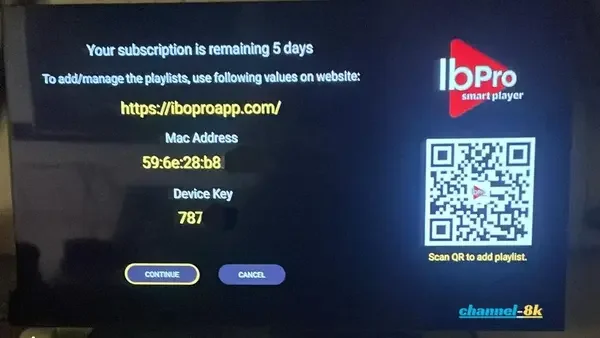
Go to the appstore and download either of the following: IPTVplayerIO or IBOplayerPRO, Or Smarters Player. (I personally use IBOplayerPRO) . once you have that downloaded, Open the app, There will be a section saying MAC address, Device key and a website link.
Step 2: If you wanted to add the playlist yourself, go to the link provided on your screen or scan the QR code.
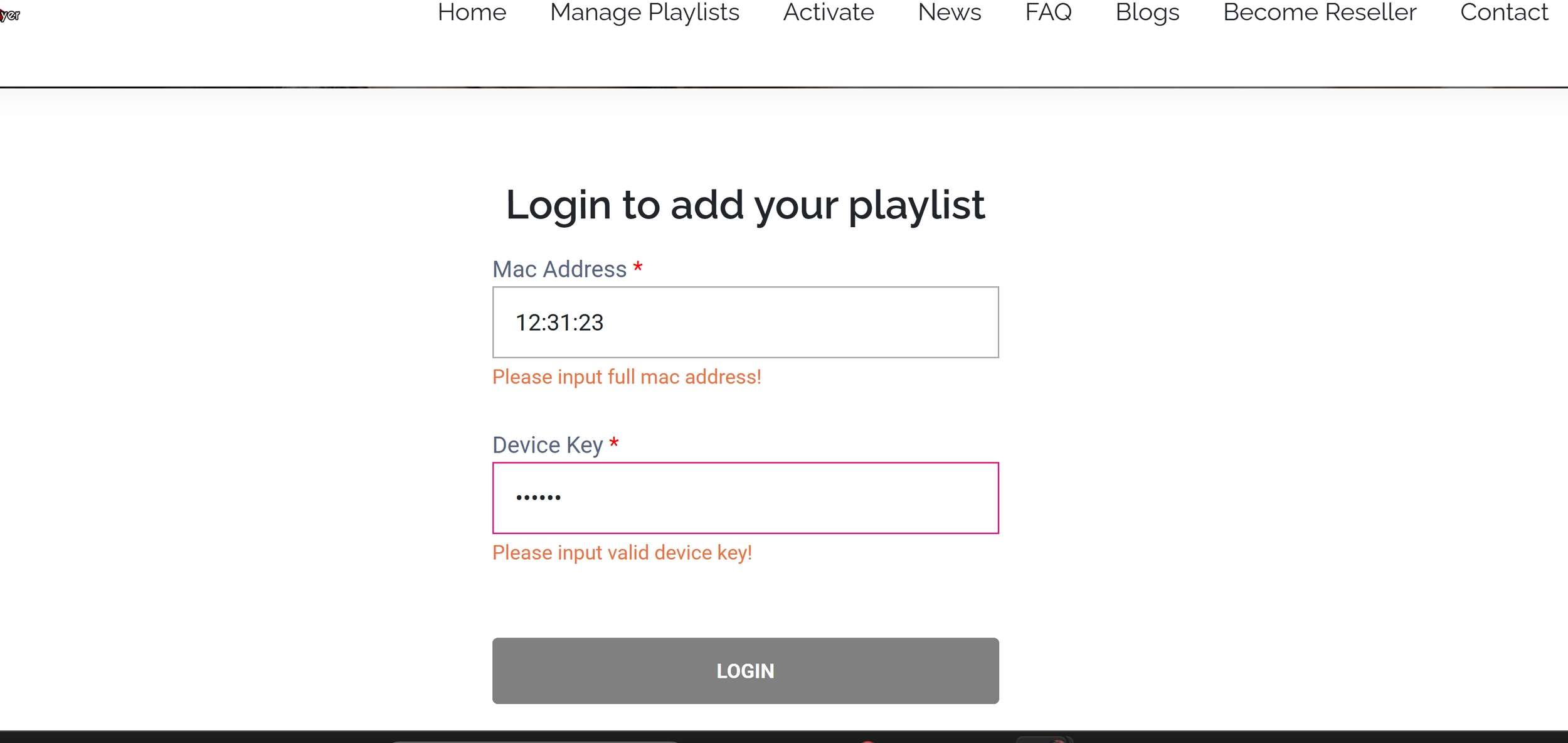
step 3: Click on Manage playlists at the top of the page and click login using your TV screen Credentials

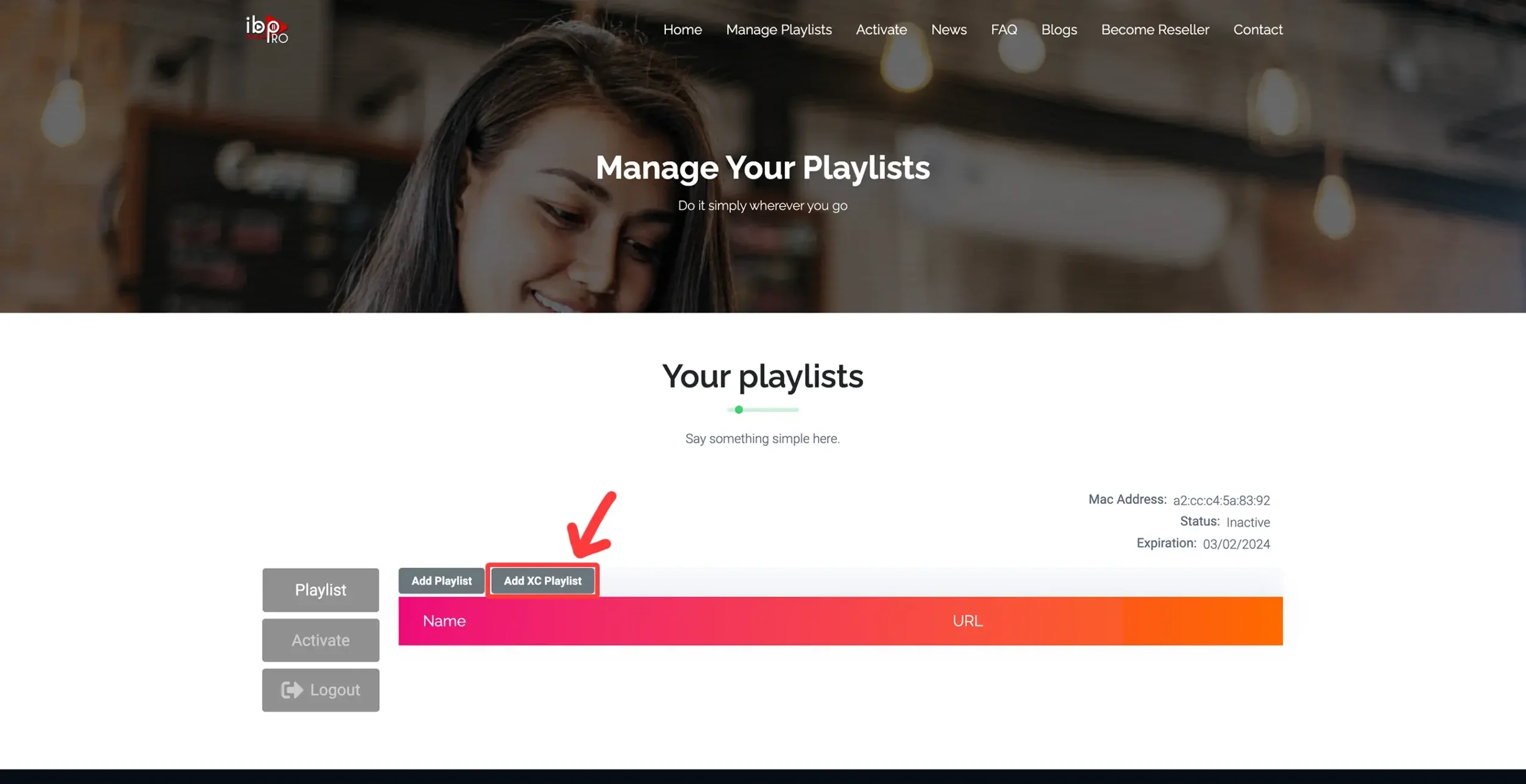
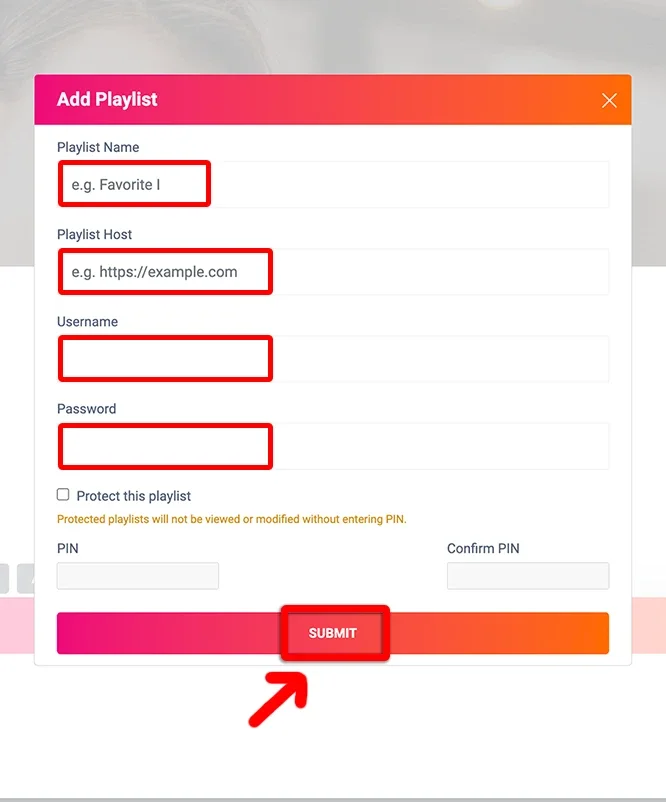
Step 4: Click on add XC Playlist and fill up the information with the provided details
(NOTE: Playlist name can be anything you want, Host Section is the URL provided with your login details)
Now Lastly, Once playlist is added. Kindly refresh or Turn your tv Back on and Off. Your Live TV, Movies and Series should be available!
If you have trouble Setting this up yourself, Just send us just the MAC ID AND Device key for your TV app and we can also set it up for you!