
Installing StreamlineTV on Mag Box
Works with MAG 250, 254, 256, and other standard MAG devices.
📋 What you'll need
- Your Mag Box connected to the internet
- The MAC address printed on the label on the back of the box
Important: Mag Box activation is done remotely on our end. Send us the MAC address found on the label on the back of your box, and we'll activate your subscription and send you the exact Portal URL to enter below.
1
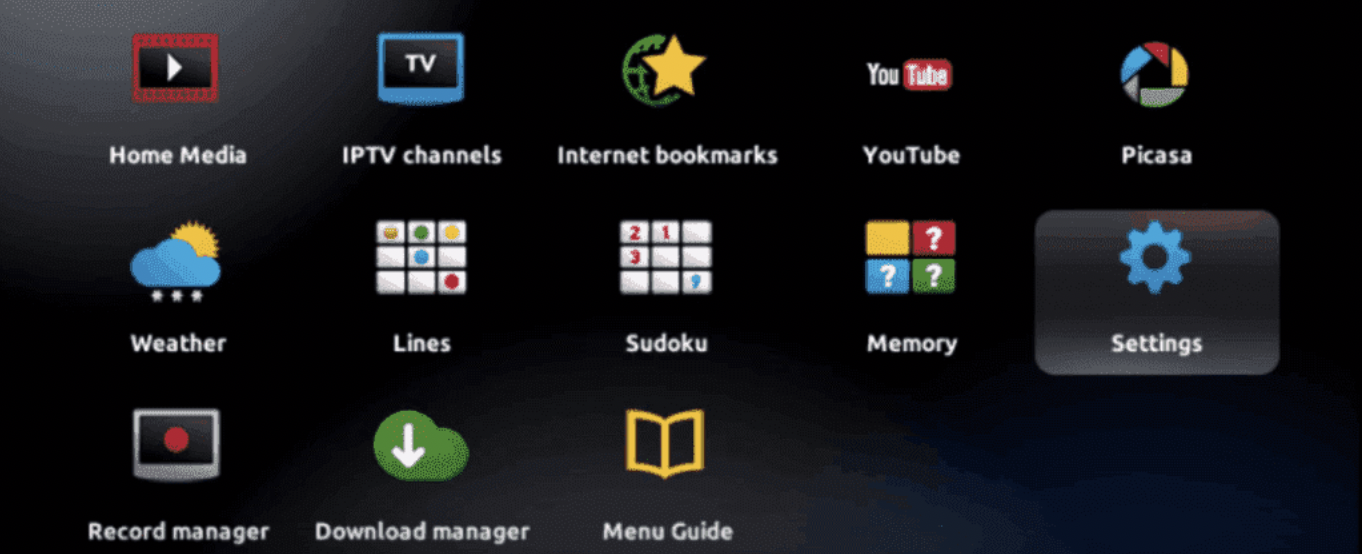
Open Settings
When your box finishes loading, the main portal screen appears. Click on Settings, then press the SETUP/SET button on your remote.
2
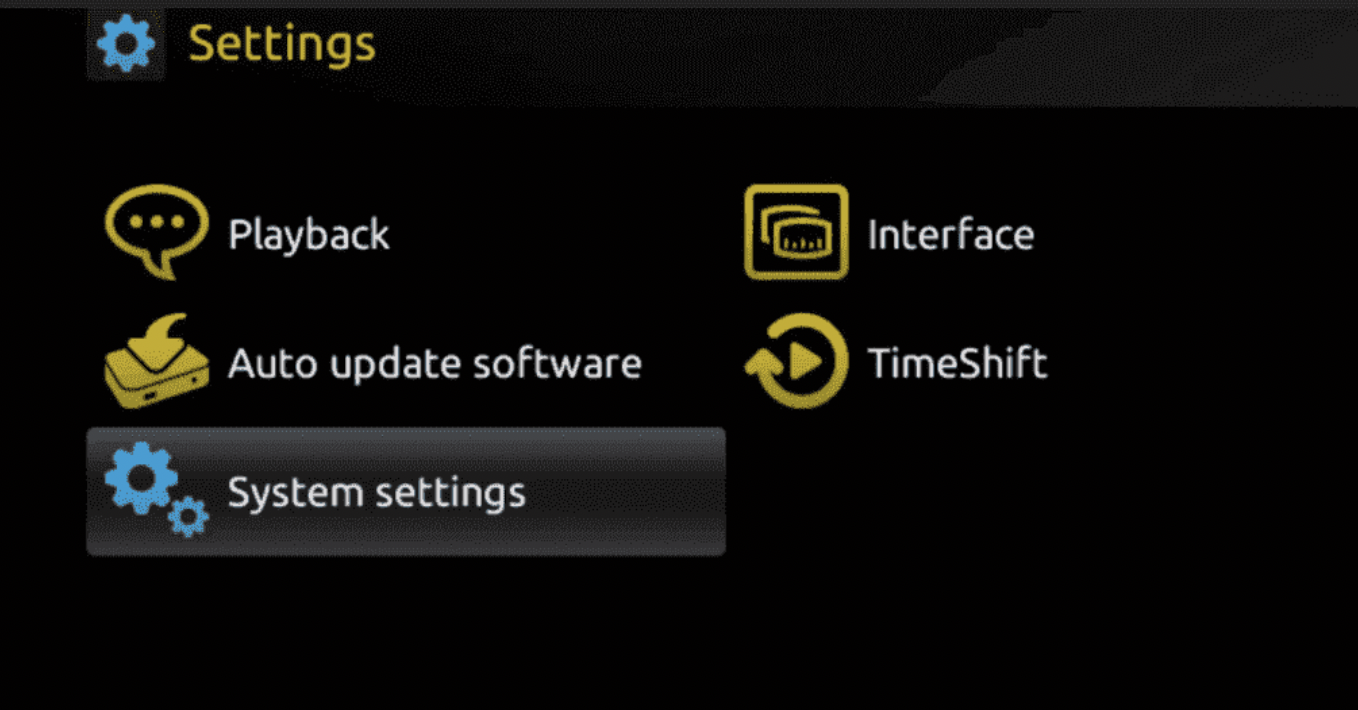
Go to System Settings
Press on System Settings, then click on Servers.
3
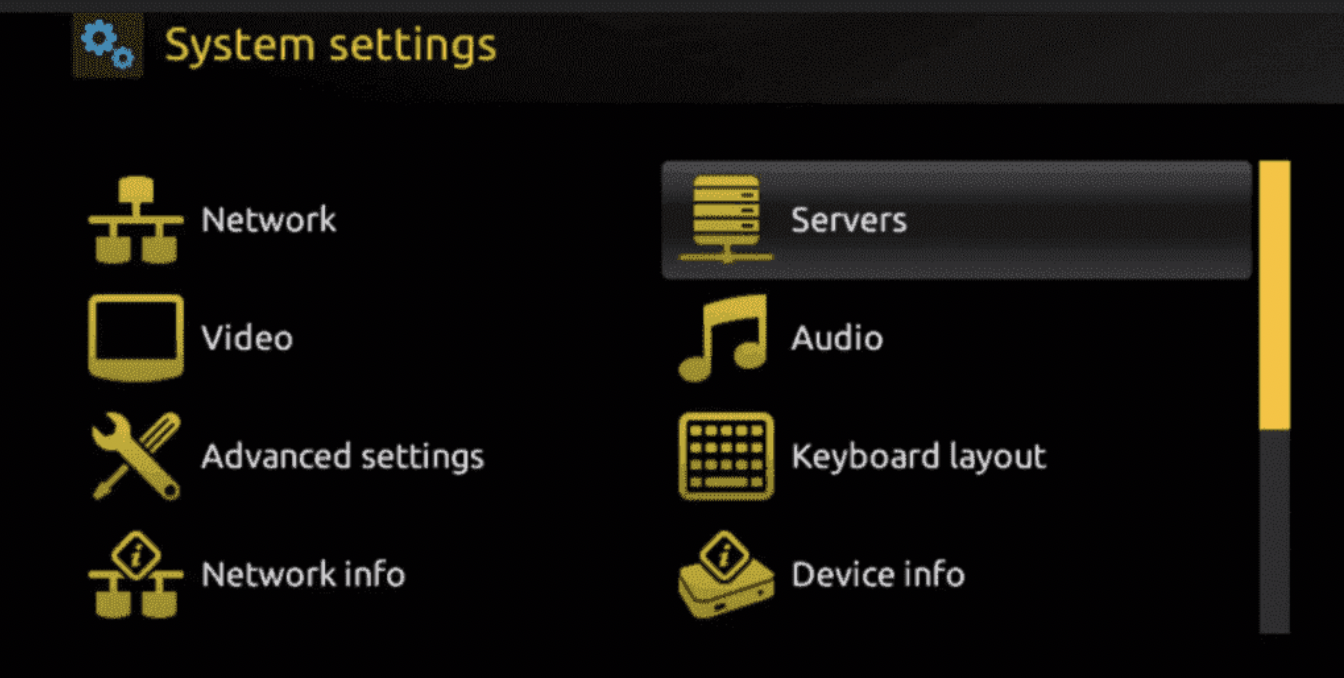
Open Servers
Click on Servers.
4
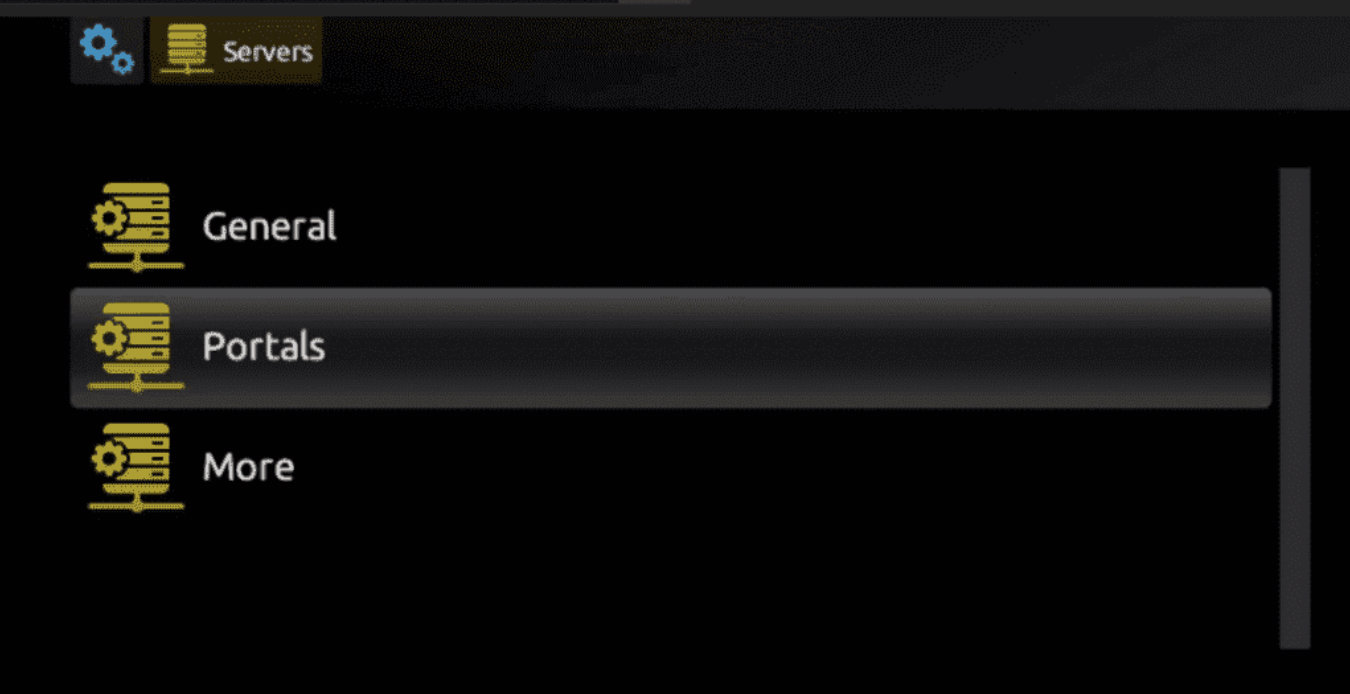
Choose Portals
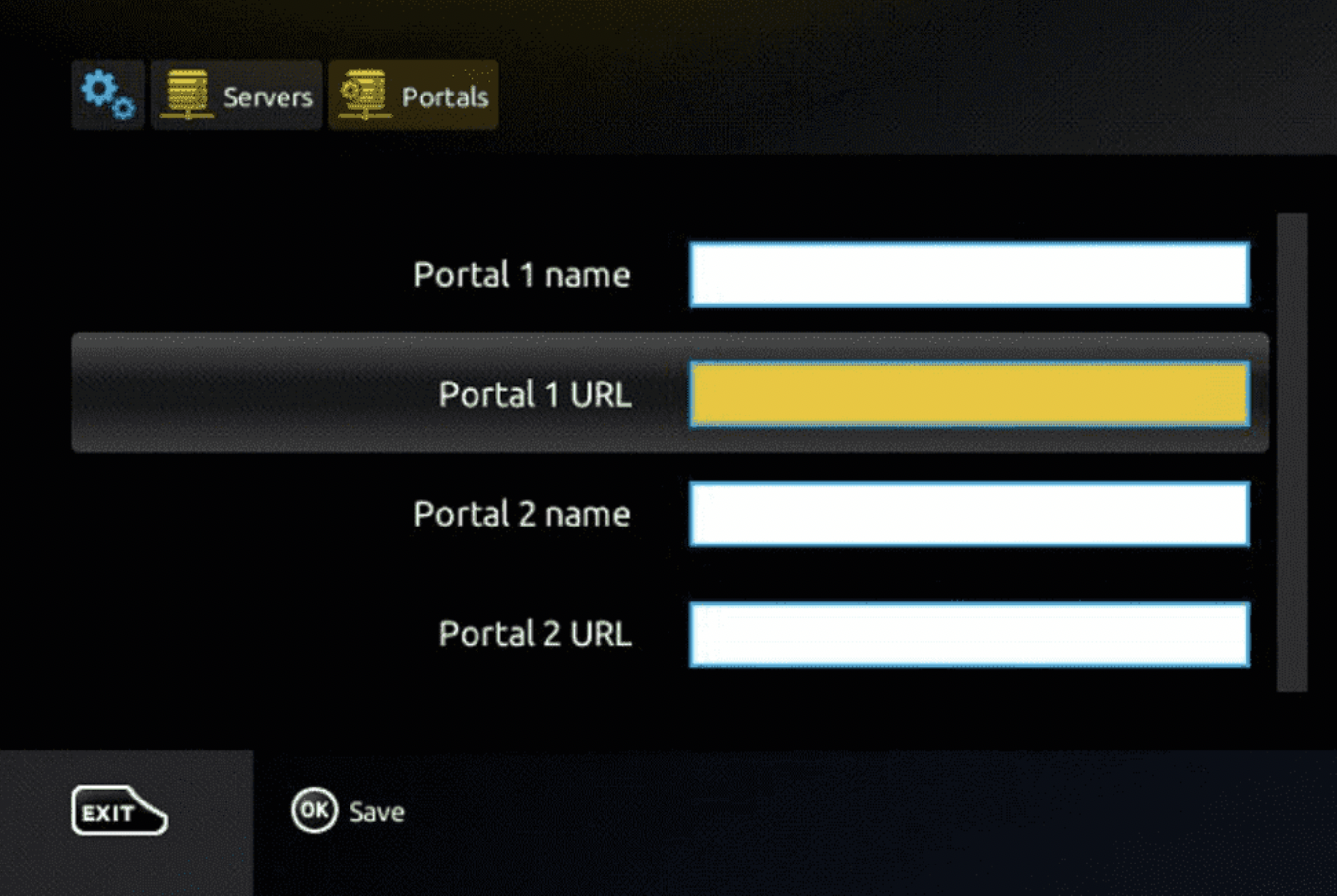
Choose and press the Portals option.
5
Enter Your Portal Details
In the Portal 1 Name field, enter any name you'd like. In the Portal 1 URL field, enter the Portal URL we sent you after activation.
6
Save Your Changes
Select and click OK to save.
7
Exit
Click EXIT on your remote control once the settings have saved.
8
Reboot Your Box
Reboot the box and select OK to apply the changes.
Need help?
Send us your MAC address and we'll walk you through it live.
